Digital Signage, Touch Screen Kiosk | Kiosk Manufacturer, Supplier, Factory China
Shenzhen Kosintec Co., Ltd
Touch Screen Kiosk PC

Product Details

Place of Origin: Kiosk Manufacturer
Brand Name: KosinTec
Certification: FCC, CE, ROHS
Model Number: K-8749

Payment & Shipping Terms

Min Order: 1 UNIT
Price: $
Packaging: Strong Case
Delivery Time: 5-6 weeks
Payment Terms: TT
Supply Ability: 5000 units per month

Detailed Product Description

What is Touch Screen Kiosk PC

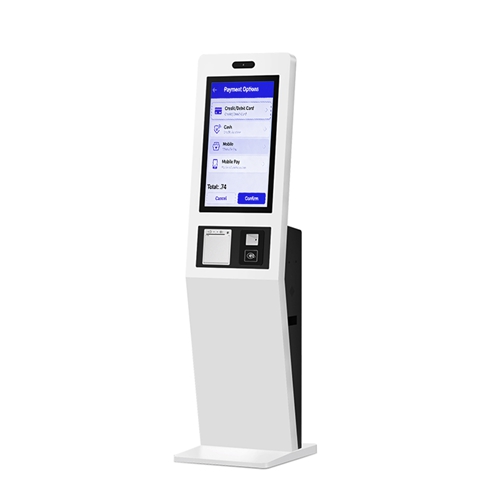
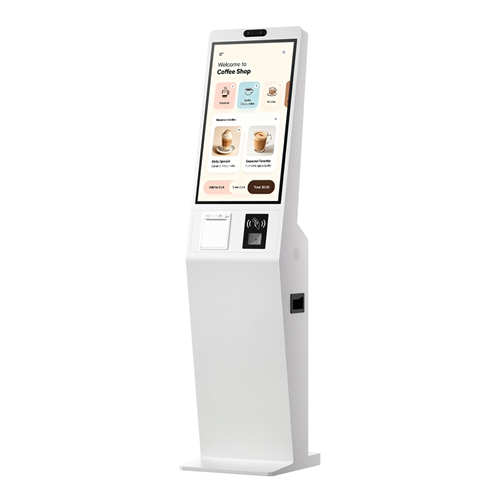
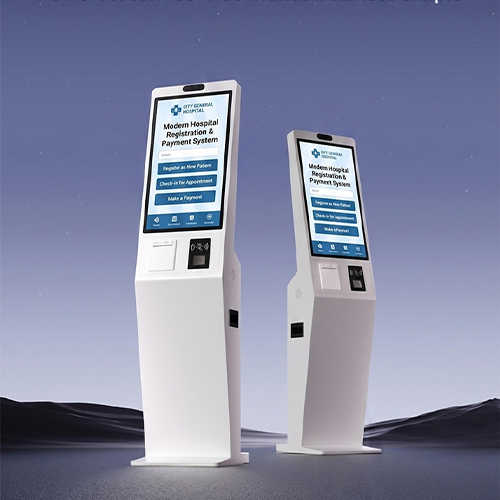
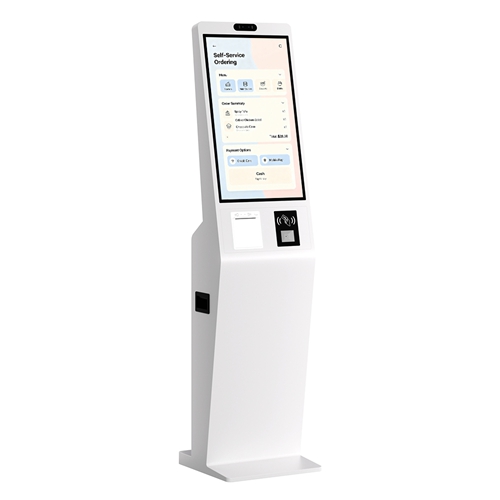
Touch Screen Kiosk PC is an integrated, specialized interactive terminal that combines a high-resolution display with a multi-touch interface and an embedded commercial-grade computer (PC) system. Unlike simple displays, it operates autonomously, enabling users to perform self-service tasks, access information, conduct transactions, or engage with interactive content without requiring external human assistance. The "PC" designation emphasizes its ability to run full-fledged operating systems (like Windows or robust Android builds) and sophisticated enterprise software.

Touch Screen Kiosk PC Definition
Touch Screen Kiosk PC Hardware

Hardware Components of Touch Screen Kiosk PC

  1. Display: Commercial-grade LCD/LED panel (e.g., 43", 55").

  2. Touch Interface: High-sensitivity, durable Multi-Touch Screen (e.g., 10-point Capacitive or IR technology).

  3. Embedded PC/CPU: High-performance industrial processor (e.g., Intel Core i3/i5 for Windows, or Quad-core RK3188 for Android).

  4. Memory/Storage: Ample RAM (e.g., 4G) and solid-state drive (SSD 128G+) for reliable performance.

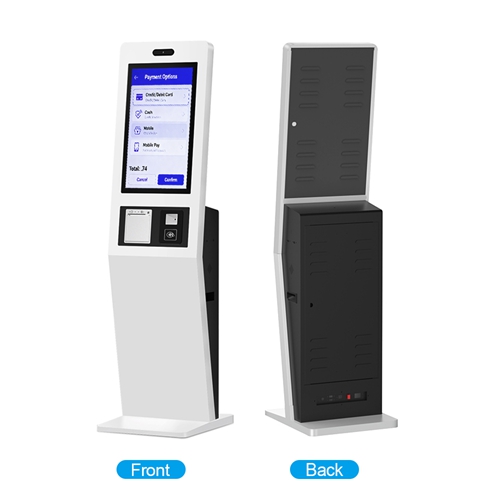
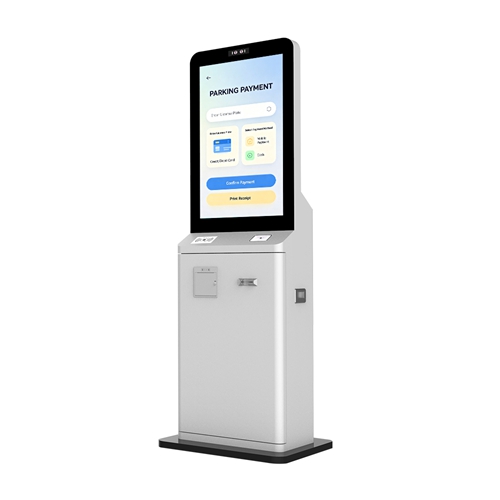
  5. Enclosure: Durable, secure, floor-standing, or wall-mounted metal chassis designed for public use.

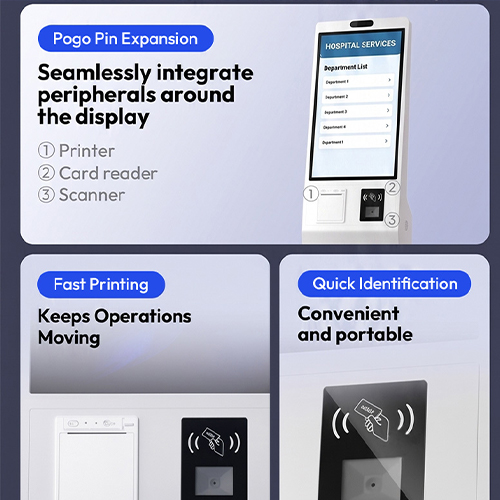
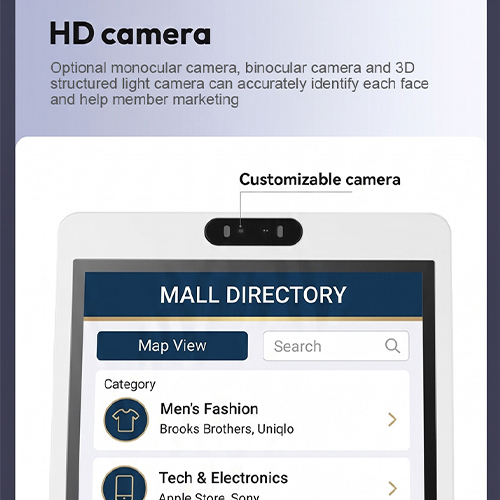
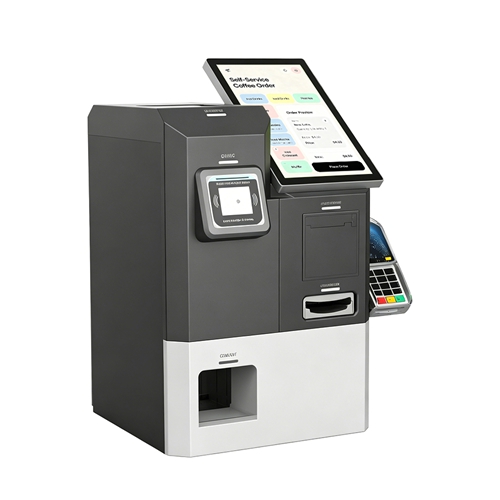
  6. Peripherals (Optional): Integrated devices like payment terminals, thermal printers, scanners, or cameras.

Software Components of Touch Screen Kiosk PC

  1. Operating System (OS): Enterprise-ready OS (Windows 10/8/7 or Android) supporting multi-language.

  2. Interface Layer: Custom, intuitive, and secure Kiosk Shell/Software that restricts access to the underlying OS.

  3. Application Software: Core programs for the intended use (e.g., Wayfinding app, Self-Service Ordering system, Digital Signage CMS client).

  4. Connectivity: Drivers and software for Wi-Fi and Ethernet (RJ45) network communication.

  5. SDK/API: Software Development Kits for integrating the kiosk hardware with third-party software applications.

Touch Screen Kiosk PC Software

Types and Sizes of Touch Screen Kiosk PC for Sale at KosinTec

Types

KOSINTEC Size Options

Typical Application Focus

Indoor Floor-Standing Kiosk

43 inch, 55 inchSelf-Service Ordering, Registration, Wayfinding, Interactive Advertising.

Portable Kiosk PC

43 inch (Battery Powered)Flexible advertising, Temporary events, High-traffic areas (Mobility).

Double-Sided Kiosk

43 inchAdvertising in two directions, Window displays (Maximum exposure).
How Touch Screen Kiosk PC Serves the Customer

How Touch Screen Kiosk PC Serves the Customer

Drawing from KOSINTEC's product features (Multi-Touch, Dual OS), the Kiosk PC delivers value by:

  1. Enabling Self-Service Efficiency: By running full-featured applications (Windows/Android), the kiosk allows customers to complete transactions (like payment, registration, or ordering) autonomously, reducing customer wait times and lowering staff dependency.

  2. Delivering Rich Interactivity: The 10-Point Multi-Touch capability facilitates intuitive and engaging interactions, making complex applications like detailed product catalogs, educational content, or multi-step wayfinding maps easy to use.

  3. Providing System Versatility: The Dual OS Options (Windows or powerful Android) ensure the hardware can seamlessly integrate with any existing enterprise software (Windows-based) or run dedicated, stable applications (Android-based).

  4. Ensuring Reliable Uptime: Commercial-grade components, a long mathbf >60,000 hour panel lifespan, and a protective tempered glass screen guarantee the unit is available for use 24/7, securing the customer's investment.

How to Install a Touch Screen Kiosk PC Step by Step

  • Placement: Ensure the kiosk is placed on a level surface away from direct heat or excessive moisture. For floor-standing models, ensure sufficient clearance for ventilation.

  • Power: Connect the power cable to a reliable outlet.

  • Network: For network-managed systems, connect the RJ45 Ethernet cable or configure Wi-Fi using the on-screen settings.

  • Securing: For added safety, secure the base of the floor-standing unit to the floor using pre-drilled holes, especially in high-traffic public areas.

How to Install a Touch Screen Kiosk PC
How to use a Touch Screen Kiosk PC

How to use a Touch Screen Kiosk PC

  1. Power On: Press the main power switch (usually located discreetly on the back or bottom).

  2. Kiosk Shell: The device will boot directly into the secure Kiosk application interface (not the raw OS desktop).

  3. Interaction: Use the Multi-Touch Screen to navigate the application. The system's responsiveness is similar to a large commercial tablet.

  4. Maintenance: The touch screen should be wiped down periodically using a non-abrasive cleaner. Remote management allows technicians to monitor status and deploy software updates without physically visiting the site.

B2B Buyer Pain Points and KosinTec Solutions for Touch Screen Kiosk PC

Buyer Pain Point

Solution Provided by KOSINTEC  for Touch Screen Kiosk PC

Integration Complexity

Dual OS (Windows/Android) Support: Solves integration issues by ensuring the unit is compatible with existing Windows-based POS/CRM systems or modern Android applications, minimizing software overhaul costs.

Total Cost of Ownership (TCO)

Commercial-Grade Durability: The >60,000 hour panel life, protective tempered glass, and industrial components drastically reduce the frequency of maintenance and replacement, lowering long-term TCO.

Security and Tampering

Secure Kiosk Shell & Enclosure: The software prevents users from accessing the underlying operating system. The physical enclosure is locked, protecting the internal PC, cables, and storage from unauthorized access or theft.

Poor User Experience

10-Point Multi-Touch and High Resolution: Provides a highly intuitive, smooth, and fast interactive experience, crucial for reducing user frustration and ensuring successful transaction completion.

Scalability and Management

Centralized CMS Compatibility: The Android/Windows versions are fully compatible with central Content Management Systems (CMS), allowing businesses to manage hundreds of units simultaneously for content deployment and remote diagnostics.

Future-Proofing Hardware

Customizable PC Specifications: We offer customizable CPU, RAM, and SSD options. Buyers can specify higher-end PC components (e.g., Core i5/i7) during the order process to ensure the kiosk can handle future software upgrades and increased processing demands.

KOSINTEC: Your Expert Touch Screen Kiosk PC Manufacturer

KOSINTEC is a professional Touch Screen Kiosk PC manufacturer, specializing in integrated solutions featuring Multi-Touch Displays and robust embedded systems (supporting Windows/Android). We offer a comprehensive suite of services, including Dual OS flexibility, hardware customization, and industrial-grade durability, ensuring low TCO and high-performance self-service solutions across retail, wayfinding, and business applications. Contact us now to leverage our expertise and customize a high-resolution, secure Kiosk PC solution tailored for your enterprise needs!
Tags:

Welcome to China
Company Name:Shenzhen Kosintec Co., Ltd
Tel:+86 18665965126
Web: https://www.kosinteckiosk.com/m/
E-mail:sales001@kosintec.com

 Products
 Touch Panel Kiosk
Related Touch Panel Kiosk