Shenzhen Kosintec Co., Ltd
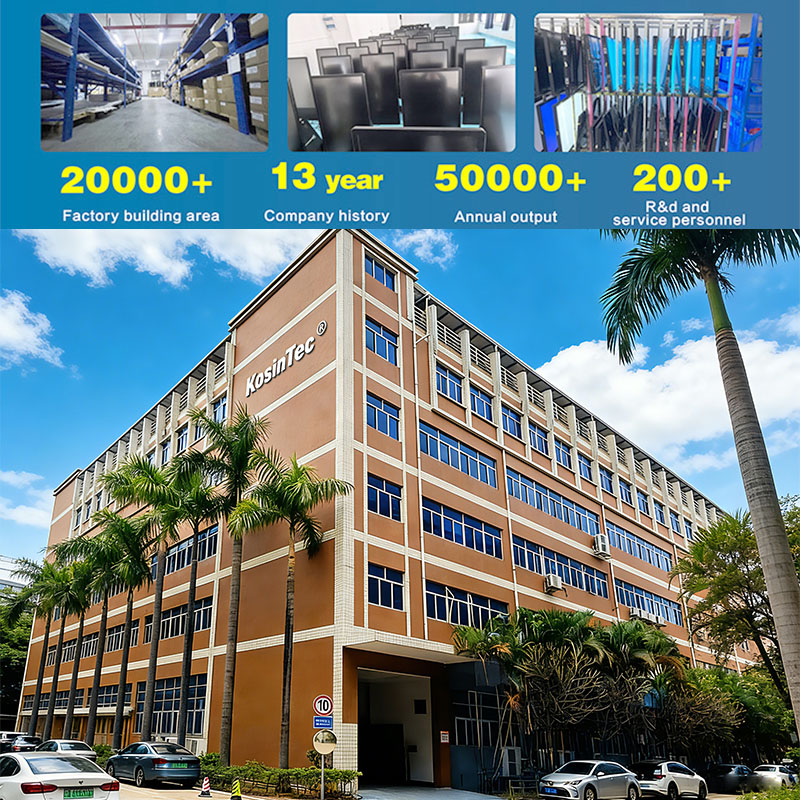
KosinTec is a top Touch Panel Kiosk manufacturer from China, engineered for superior performance, reliability, and extensive customization across various industries.
We guarantee longevity and optimal user experience through high-quality components.
| Component | Technical Specification | Value & Benefit |
| Panel Quality | Commercial Grade IPS LCD panel; 50,000+ hours lifespan. Resolution: FHD or upgradeable to 4K Ultra HD. | Guarantees 24/7 continuous usage with stable performance and superior visual clarity (178° viewing angle). |
| Durability | Explosion-proof tempered glass screen and Closed Metal Housing. | Provides high vandal resistance and physical protection suitable for public spaces. |
| Touch Technology | Capacitive Touch or IR Touch (optional). Supports 10-Point Multi-Touch Overlay. | Offers fast response time (6ms) and precise positioning for reliable interactive experiences. |
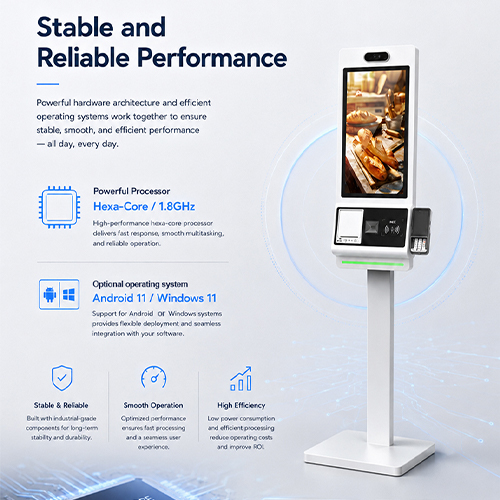
| System Core | Industrial Mother Board with Quad Core CPU (e.g., RK3128/RK3368). | Low power consumption ensures fast heat dissipation and powerful CPU performance for zero-lag operation. |
 |
|  |
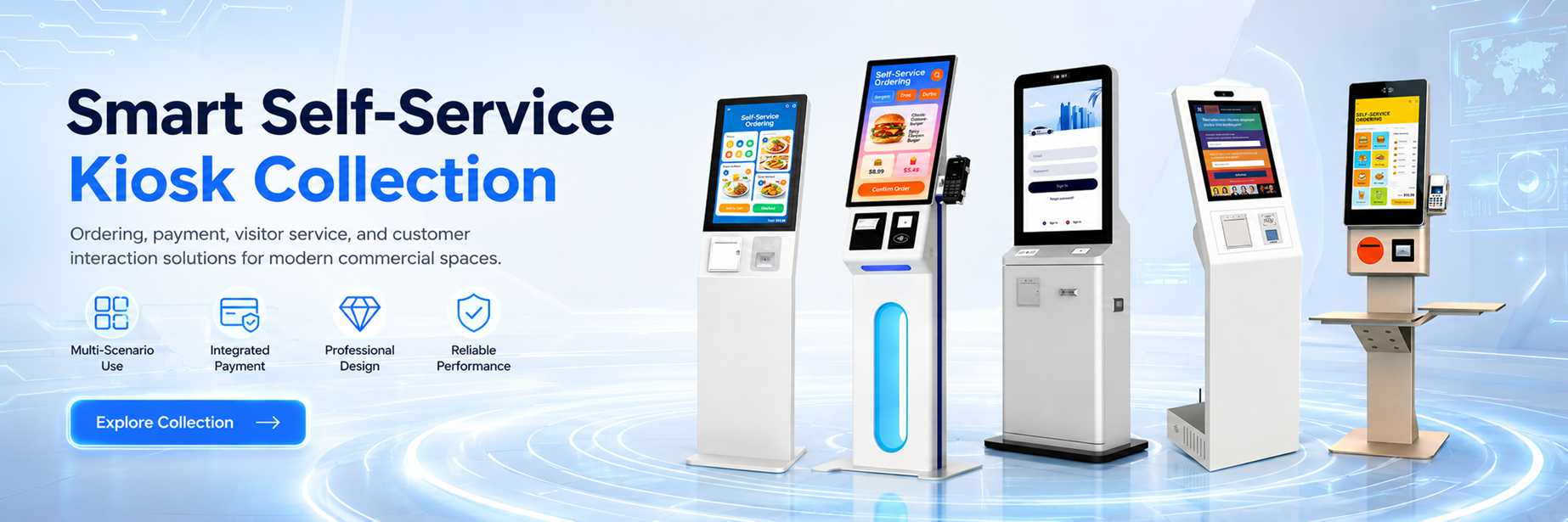
KosinTec offers a wide range of sizes and configurations to meet diverse commercial demands.
Our available sizes include 10, 17, 19, 24, 27, 32, 43, 47 inches, along with large formats up to 55 inches.
| Product Type | Primary Applications | Key Sizes Available |
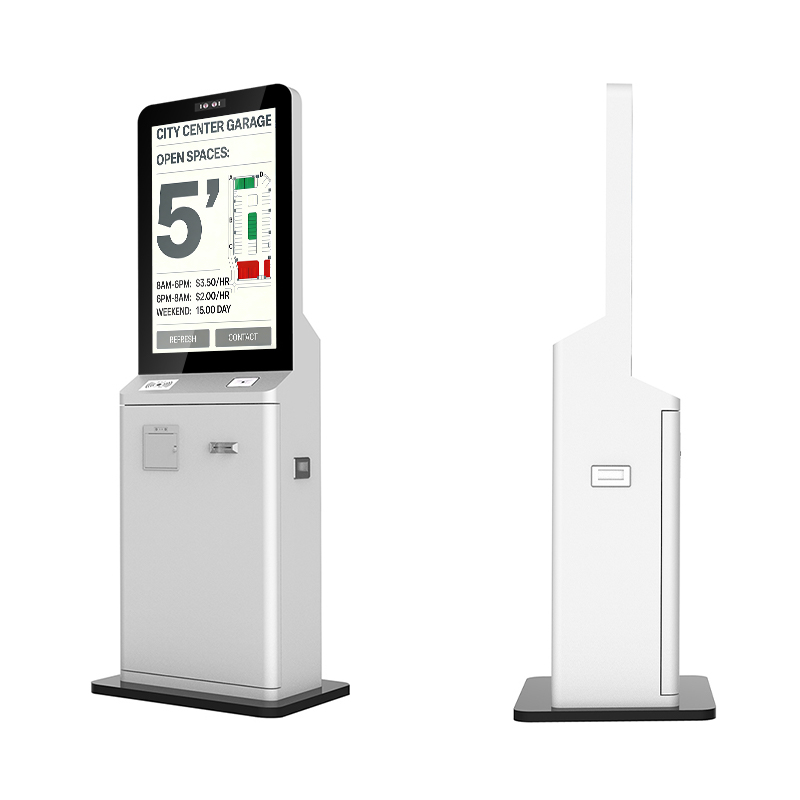
| Interactive K-Type Kiosk | Wayfinding, information access, exhibition halls. | 32", 43", 49", 55" |
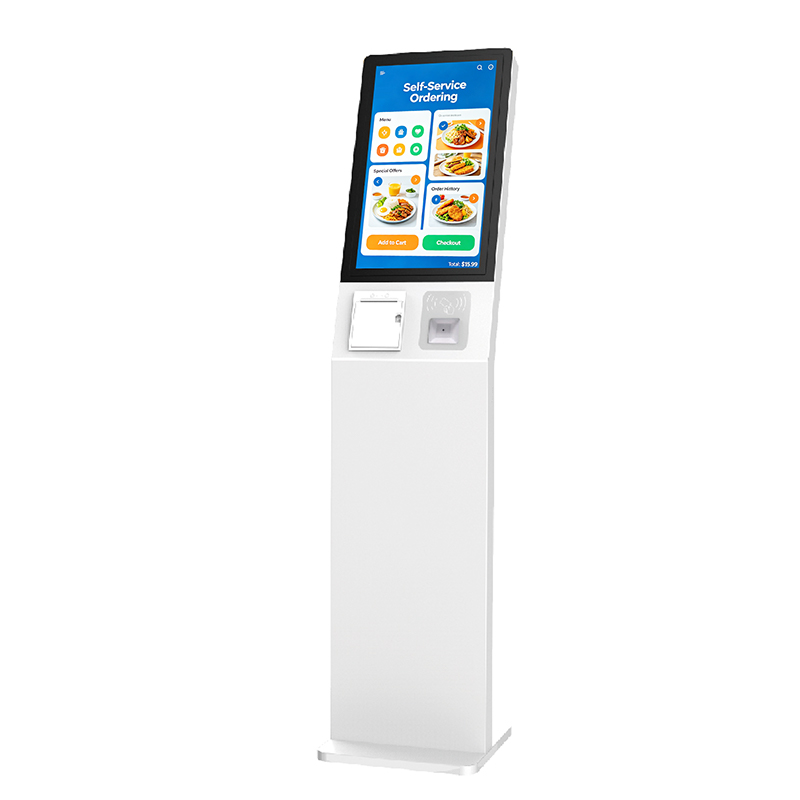
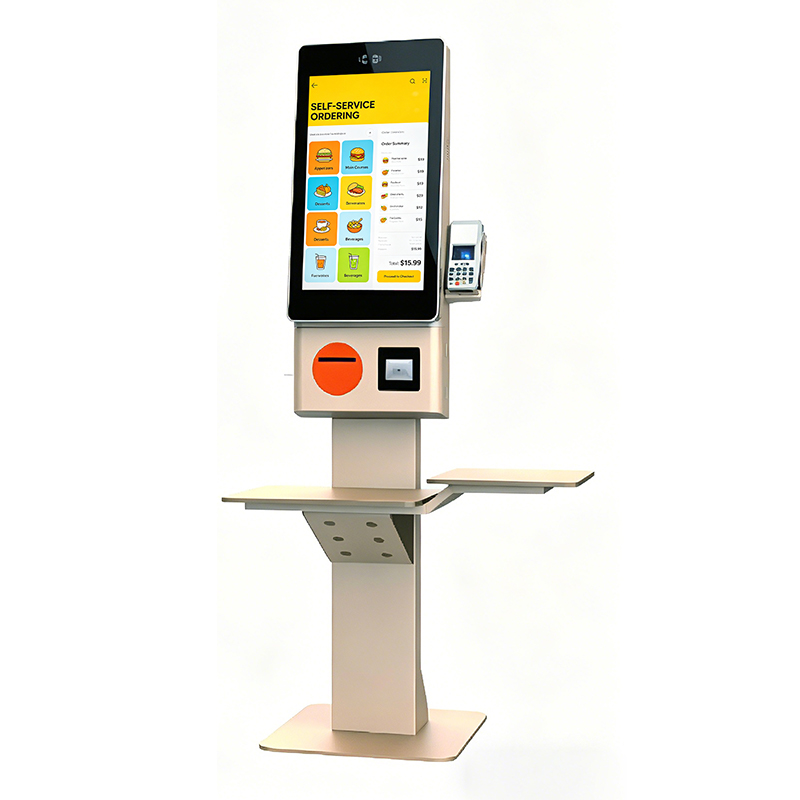
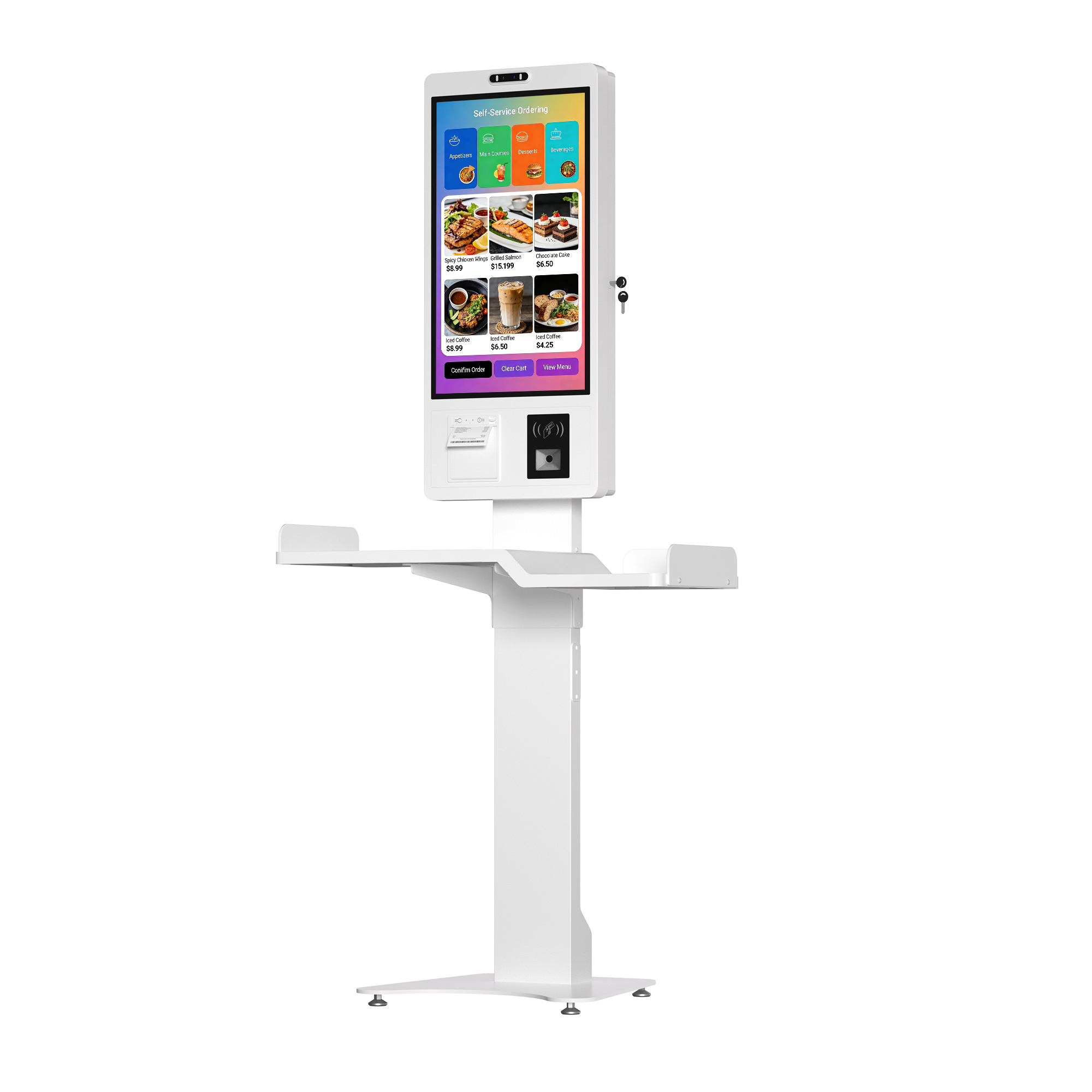
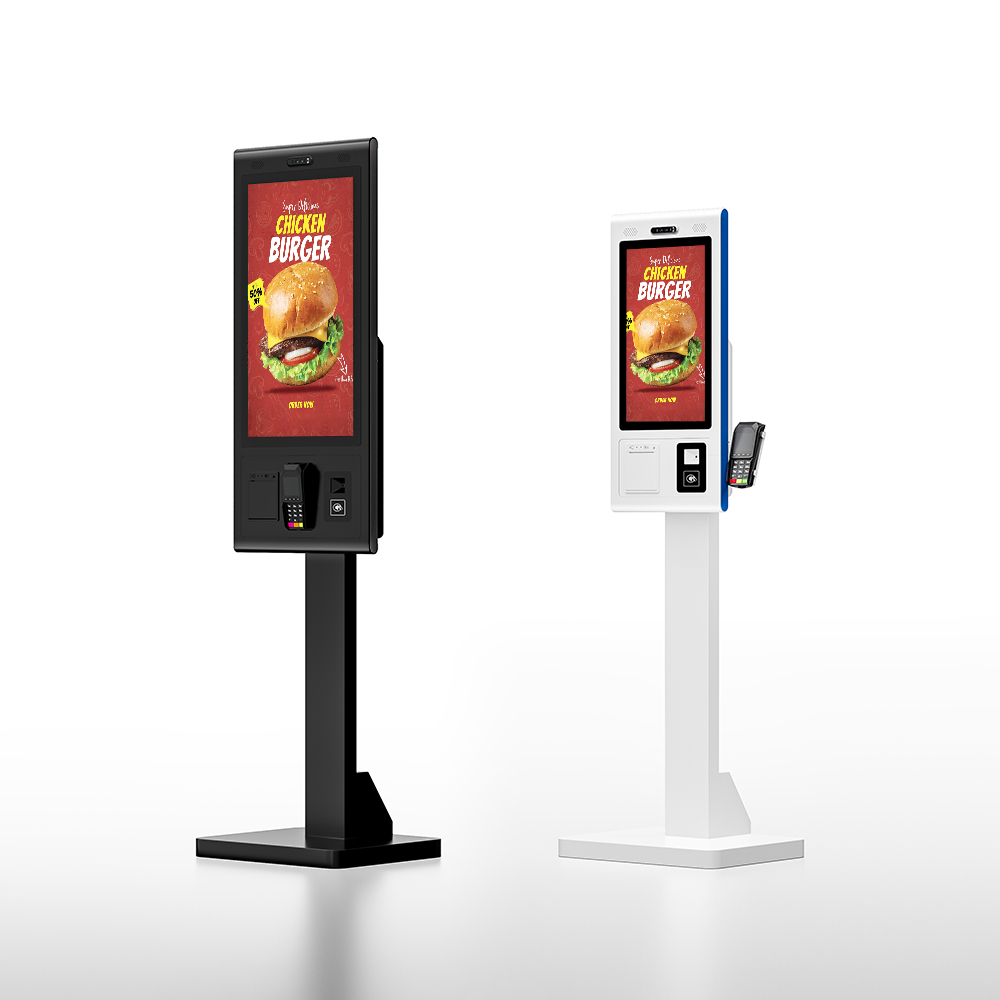
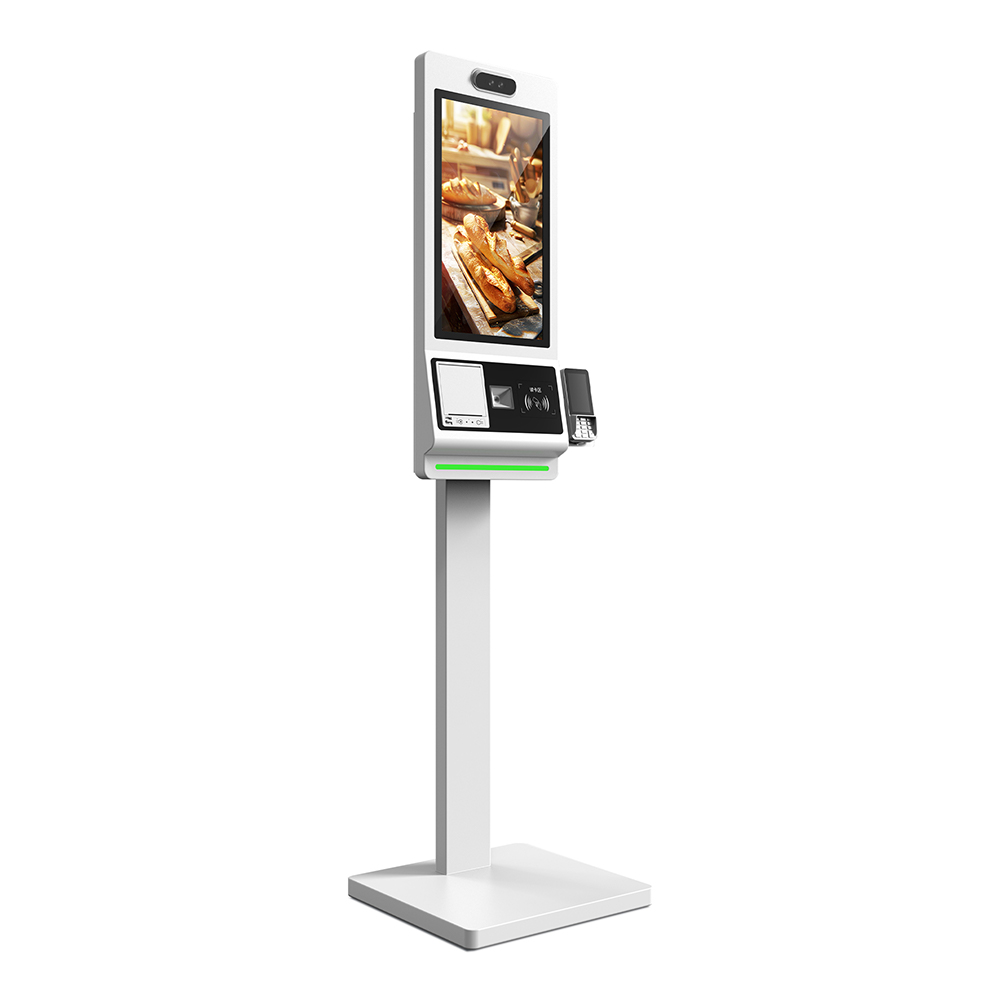
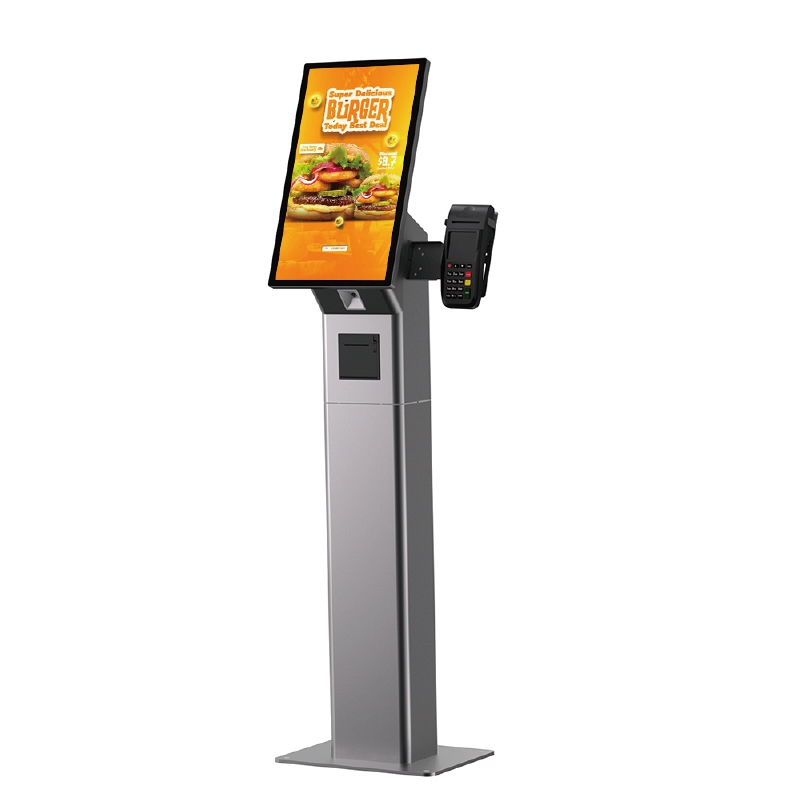
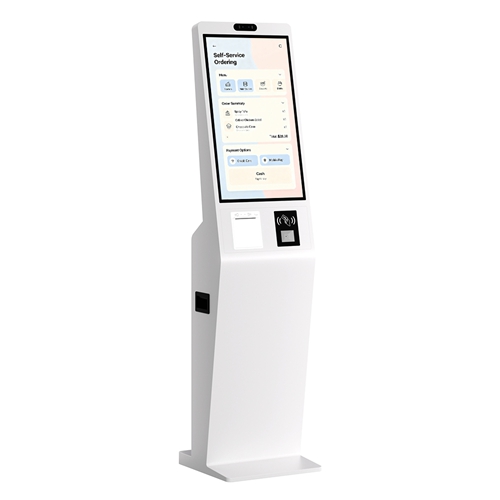
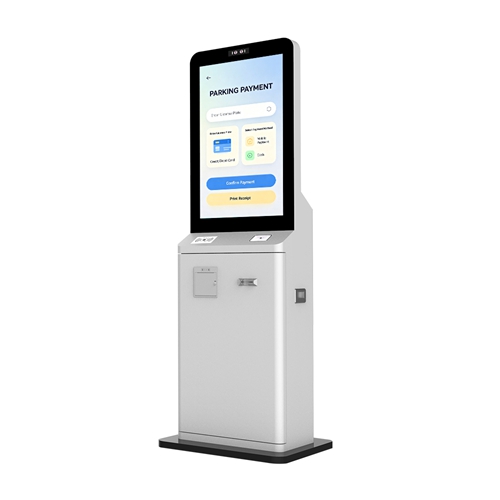
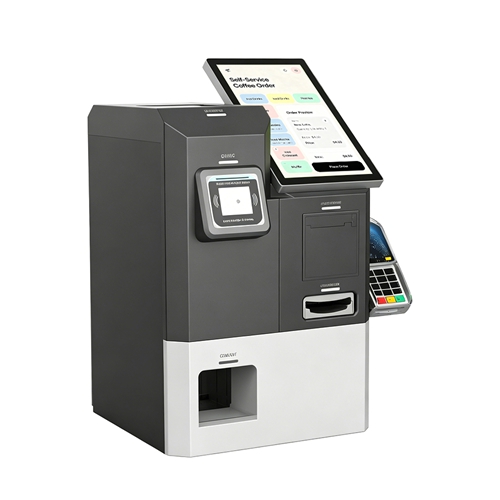
| Self-Ordering Kiosk | Food service (QSR), retail self-checkout. | 15.6", 21.5", 23.6", 27", 32" |
| Desktop/Counter Display | Built-in shop displays, counter displays. | 10.1" up to 27" sizes. |
We provide all customizations and OEM/ODM services for our touch panel kiosks. Buy from us at competitive factory prices—we are a top touch panel kiosk manufacturer and supplier.
Customization: Provides customized logo, packaging, and graphic customization (Min. Order: 2 sets).
OS Support: Flexible integration for Android (Rooted), Windows, or Linux operating systems.
Connectivity: Extensive I/O support including WiFi, LAN (RJ45), Bluetooth 4.0, and 3G/4G options.
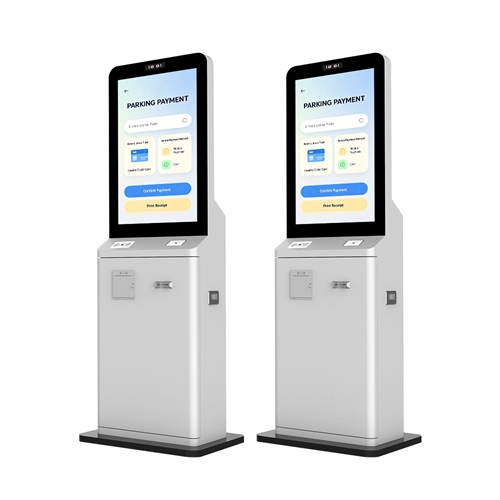
Transactional Integration: Support for multiple payment methods, combining ordering, payment, and printing in one device.
Warranty: Standard 1-2 year commercial warranty with lifetime free technical support from our professional technical team.
 |
| Hardware Components | Software Components |
| Display Panel (Commercial Grade LCD/LED) | Operating System (OS) (Android / Windows / Linux) |
| Touch Technology (PCAP / IR) | Kiosk Application (Self-Service UI, POS Integration) |
| Motherboard & Core (Industrial Grade CPU, RAM, Storage) | Content Management System (CMS) Client (Remote updates, scheduling) |
| Enclosure (Closed Metal Housing, Tempered Glass) | Peripheral Drivers (For Printer, Scanner, Payment Module) |
| Power System (AC 100V-240V Input) | Security/Lockdown Software (Kiosk Mode, Root Access) |
| I/O Ports (USB, HDMI, RJ45 LAN) | Software Development Kit (SDK) (For deep client customization) |
| Integrated Peripherals (Printer, Scanner, Payment Module) | Firmware (Controls initial hardware boot) |
A Touch Panel is an electronic visual display that can detect the presence and location of a touch within its display area. Commercial-grade kiosks primarily utilize two robust technologies: Capacitive and Infrared (IR).
| Technology | Working Principle | Best For / Use Case |
| Capacitive Touch (PCAP) | Uses an electrical field generated over the glass surface. Touching the surface with a finger (or conductive stylus) draws a measurable current, allowing the system to pinpoint the location. | High-Traffic, Precision Required: Self-ordering, retail POS, banking interfaces. Offers superior optical clarity and is highly resistant to surface contamination (dust, light spills). |
| Infrared Touch (IR) | Uses an array of IR LEDs and photodetectors around the display bezel. A touch breaks the horizontal and vertical light beams, allowing the controller to calculate the precise point of interruption. | Large Format, Durability, Gloved Use: Wayfinding, industrial controls, and applications requiring interaction while wearing gloves. |
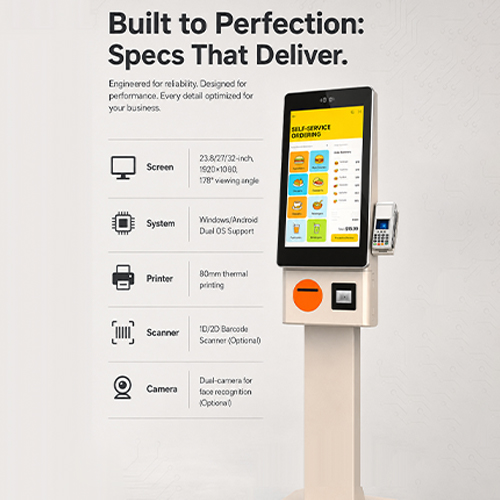
KosinTec’s diverse Touch Panel Kiosk range provides tailored interactive solutions across major commercial sectors.
| Application Sector | KosinTec Product Series Used | Key Functions & Value |
| Quick Service Restaurants (QSR) & F&B | Self-Ordering Kiosks (15.6" - 32") | Self-Ordering, Payment Processing (POS integration), Menu Browsing, and Upselling (improving Average Order Value). |
| Retail & Shopping Malls | Interactive K-Type Kiosks (32" - 55") | Wayfinding (Interactive maps), Product Catalog Browsing, Loyalty Program Sign-up, and Interactive Advertising. |
| Banking & Finance | Interactive K-Type Kiosks (Customized) | Account Information Look-up, Queue Management (Ticketing), Appointment Scheduling, and Currency Exchange (with integrated peripherals). |
| Corporate & Office Lobbies | Desktop/Counter Displays (10" - 27") | Visitor Check-in/Registration, Employee Directory, and Welcome Displays. |
| Transportation (Airport/Subway) | Interactive K-Type Kiosks (55" +) | Information Publishing, Real-time Schedule Updates, Ticket Vending, and Travel Information Access. |
| Healthcare & Medical | Interactive K-Type Kiosks (Customized) | Patient Check-in/Registration, Appointment Management, and Billing/Payment Processing. |
| Education & Exhibition | Desktop/Counter Displays & K-Type Kiosks | Interactive Learning Modules, Exhibit Information Access, and Digital Signage for institutional announcements. |
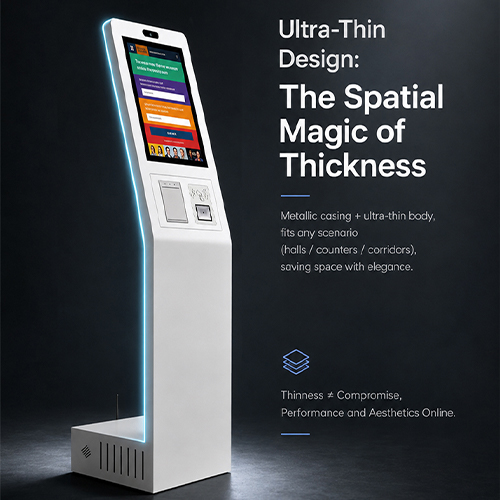
KosinTec offers comprehensive customization across all aspects of the Touch Panel Kiosk to meet specific project needs, acting as your direct manufacturer.
Form Factor & Size: Customization of style (Floor Standing, Wall Mounted, Desktop) and dimensions across standard sizes (10" to 55") or bespoke cabinet designs.
Aesthetics & Branding: Custom Logo placement, specific color matching, and graphic customization on the durable metal housing.
Core Hardware: Choice of display resolution (FHD/4K), brightness, and selection between high-precision Capacitive Touch (PCAP) or IR Touch. System upgrades for Quad Core CPU, RAM, and storage.
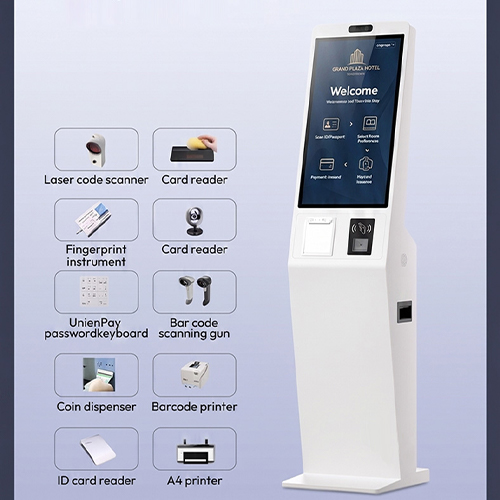
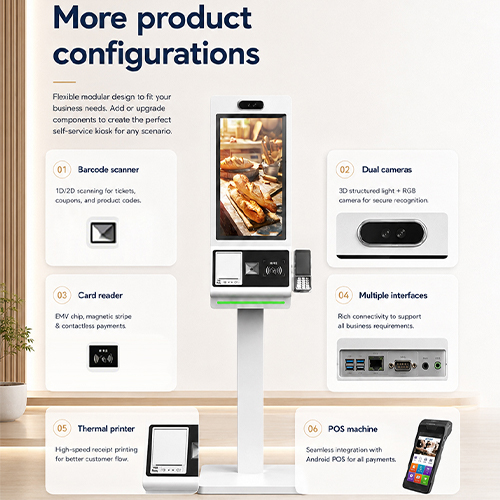
Peripheral Integration: Integration of specific functional hardware: Thermal Printer, QR/Barcode Scanner, Card Reader, and POS Payment Module.
Software & OS: Choice of Android (Rooted), Windows, or Linux. Customized SDK access for application integration and specific hardware driver management.
Connectivity & Service: Selection of networking options (LAN, WiFi, 4G) and tailored commercial warranty and packaging.
| Client Anxiety | Solution - The Action |
| 1. Installation & Integration Anxiety | |
| "Is the unit safe and stable?" | Ensure the floor stand base is secure or the wall mount bracket is properly installed to prevent tipping. |
| "Is network setup complicated?" | Prioritize using the RJ45 LAN port for a wired network connection to guarantee stability and speed. |
| "How do I perform initial startup?" | Plug in the power adapter; the device will automatically start (Auto Start). Then configure the time, language, and network. |
| 2. Content & Application Anxiety | |
| "How do I update content remotely?" | Use the pre-installed CMS Client to connect to the central management system for remote content uploading and scheduling. |
| "Will the application run stably?" | Enable Kiosk Lockdown Mode in the Android settings to lock the application and prevent users from exiting or tampering with system settings. |
| "How to ensure successful transactions?" | Immediately after startup, test all integrated peripherals (printer, scanner, POS module) to confirm proper driver communication with the application layer. |
| 3. Maintenance & Troubleshooting Anxiety | |
| "How to perform routine cleaning?" | Use only a soft, slightly damp cloth to wipe the screen. DO NOT spray liquid directly onto the touch panel or interfaces. |
| "What if the screen freezes or goes black?" | First, check the power cable and RJ45 network connection. If the issue persists, contact Lifetime Technical Support for remote diagnostics. |
| "How to guarantee long-term stability?" | Periodically check system temperature, ensure proper ventilation, and perform necessary OS and application software updates. |
 |
STOP WORRYING: The Definitive Touch Panel Kiosk Procurement GuideAttention Global Buyers: If you are currently evaluating touch panel kiosk manufacturers and are concerned about hardware reliability, system integration risks, or long-term support—This guide is for you. As a top Touch Panel Kiosk Manufacturer with over 13 years of experience delivering mission-critical solutions, KosinTec directly addresses the 12 critical pain points international clients face. We transform your worries into guaranteed performance. |
Client anxiety centers on the long-term durability and true commercial rating of the Touch Panel Kiosk hardware. We guarantee your ROI with superior components.
| Client Pain Point (The Worry) | KosinTec Solution: Our Commitment to Quality |
| Longevity and 24/7 Operation | We eliminate rapid failure by using certified A+ Grade Commercial Panels (50,000+ hours lifespan), specifically guaranteed for continuous 24/7 operation. |
| Misrepresentation of Commercial Grade | 13 Years of Trust: Every component is industrial-grade. We provide full certification proof (CE/FCC/RoHS) demonstrating genuine commercial compliance, not disguised consumer parts. |
| Touch Accuracy and Vandalism Resistance | Superior user experience is guaranteed by high-accuracy 10-Point Capacitive Touch and Explosion-Proof Tempered Glass, ensuring durability against public impact. |
| Thermal Management and Environment | We prevent overheating: Our Closed Metal Housing (not plastic) and low-power CPU architecture ensure excellent heat dissipation and stable performance in all environments. |
You need assurance that the Touch Panel Kiosk will seamlessly integrate with your existing corporate systems and remain manageable worldwide.
| Client Pain Point (The Worry) | KosinTec Solution: Seamless Integration & Control |
| OS Compatibility & System Lockdown | Flexible OS: We offer Android/Windows/Linux and provide Rooted Android Kiosks for secure Kiosk Lockdown Mode, ensuring your application stays in front, 24/7. |
| Peripheral Driver Complexity | Our mature technology eliminates driver headaches. We provide a comprehensive SDK and pre-tested drivers for all integrated peripherals (printers, payment terminals). |
| Remote Management (RMM) Capability | We make global management simple. Systems are optimized for CMS platforms, utilizing RJ45 LAN for reliable remote updates and content management across your entire fleet. |
| Post-Sale Support Responsiveness | Downtime is costly. We guarantee Lifetime Free Technical Support from our expert engineering team, ensuring swift remote diagnostics and minimal disruption, wherever your Touch Panel Kiosk is deployed. |
Addressing concerns about quality consistency, compliance, and transparent pricing is critical for closing large B2B deals.
| Client Pain Point (The Worry) | KosinTec Solution: Risk-Free Procurement |
| Customization Consistency (OEM/ODM) | Guaranteed Consistency: With over a decade of experience in OEM/ODM, we guarantee that large-scale batch production maintains the exact, consistent quality of the approved custom sample. |
| International Certification & Compliance | All our Touch Panel Kiosks hold mandatory global certifications (CE, FCC, and RoHS), ensuring smooth, compliant importation and deployment worldwide. |
| Pricing Transparency and TCO | Factory Direct Value: We are the manufacturer, offering transparent EXW (Ex-Works) Factory Prices. Our focus on durable components guarantees the lowest long-term Total Cost of Ownership (TCO). |
| Shipping Damage and Warranty Reliability | We use secure packaging and reliable freight. All sales include a confirmed 1-2 Year Commercial Warranty, covering manufacturing defects and protecting your investment from day one. |
Stop just evaluating hardware. Evaluate the manufacturer's commitment. Contact KosinTec today to discuss how our established technology solves your toughest kiosk challenges.
 |
As a top Touch Panel Kiosk Manufacturer, KosinTec provides this expert framework to ensure your investment perfectly matches your operational needs, minimizes risk, and maximizes long-term ROI.
The initial procurement decision is dictated by where the Touch Panel Kiosk will operate and the volume of traffic it must handle. Mismatches here result in immediate operational failure.
For Indoor Applications (Retail, QSR), focus on aesthetics, high-accuracy 10-Point Capacitive Touch, and reliable power management for 24/7 operation. However, for Outdoor Applications, the requirements escalate critically: the Touch Panel Kiosk must possess robust IP65/IP66 ingress protection against water and dust, and feature advanced Thermal Management systems to prevent overheating in direct sunlight. Furthermore, high-brightness panels (minimum 1500–2500 nits) are non-negotiable for screen readability.
Assess whether your application is high-volume transactional (e.g., self-ordering, ticketing) or low-volume informational (e.g., wayfinding). High-Volume demands true Commercial Grade components, faster Quad Core CPUs, and industrial motherboards to withstand thousands of daily cycles without failure, directly impacting the TCO. Conversely, a lower-traffic informational Touch Panel Kiosk may utilize standard commercial panels but must still maintain structural integrity and security.
Once the environment is defined, the focus shifts to internal architecture, which determines the Touch Panel Kiosk's utility and integration complexity.
The choice between Android, Windows, or Linux dictates future software strategy. Android Kiosks are ideal for simple, locked-down, high-stability applications (e.g., Kiosk Mode for QSR), offering lower hardware requirements and TCO. Windows Kiosks are preferred for integrating complex legacy enterprise software, requiring greater CPU power. Regardless of the OS, demand a Rooted Kiosk option that allows for secure Kiosk Lockdown Mode, preventing unauthorized user access to the system.
The "right" Touch Panel Kiosk integrates seamlessly with external hardware. Before purchase, confirm the manufacturer provides an open SDK and pre-tested drivers for your specific peripherals (e.g., PCI-certified payment terminals, thermal printers, 2D scanners). The Touch Panel Kiosk must act as a unified hub, ensuring zero-lag communication between the application layer and transactional hardware to guarantee fast, high-success-rate self-service.
The final stage involves managing the global risk of procuring complex hardware from overseas. Choose a partner, not just a supplier.
To ensure successful importation and deployment, verify that every Touch Panel Kiosk model holds mandatory global certifications (CE, FCC, RoHS). This verifies the unit's quality and legal compliance in major markets. Furthermore, assess the manufacturer's quality control: demand proof of ISO 9001 certification and evidence of using superior components like Explosion-Proof Tempered Glass and industrial power systems that support continuous operation.
The best manufacturer offers transparent pricing and long-term support. Look for manufacturers with a proven track record (like KosinTec’s over a decade of experience) in delivering complex OEM/ODM projects with guaranteed batch consistency. Prioritize manufacturers offering direct EXW Factory Prices and backing their product with a genuine 1-2 Year Commercial Warranty and Lifetime Technical Support. This approach guarantees the lowest long-term Total Cost of Ownership (TCO) and mitigates unforeseen technical disruptions.
|
|
Choosing a reliable Touch Panel Kiosk Manufacturer requires due diligence beyond the product catalog. Focus on these four critical areas to minimize procurement risk and ensure long-term ROI.
Goal: Verify the touch panel kiosk manufacturer possesses the necessary R&D, assembly control, and testing capabilities to produce commercial-grade hardware consistently.
| Inspection Angle | Verification Method | Quality Standard Checklist |
| Production Line | Request a Virtual Factory Tour or a third-party audit. | Automation in key processes; organized, dust-free assembly area, especially for display bonding. |
| Testing Labs | Request documentation of stress test protocols (e.g., thermal, vibration, EMC reports). | Dedicated labs for high/low-temperature testing, humidity testing, and vibration testing necessary for 24/7 durability. |
| Component Control | Ask for the brand and grade of core components (e.g., Panel brand, Industrial Mother Board spec). | Use of A+ Grade Commercial Panels (50,000+ hrs life) and high-quality cold-rolled steel enclosures. |
| R&D Capability | Ask about the size of their engineering team and their capability to provide a customized SDK. | Evidence of in-house hardware and software engineering talent, not just assembly of components. |
Goal: Ensure the touch panel kiosk manufacturer and its products meet mandatory international legal and quality standards required for global market entry.
| Inspection Angle | Verification Method | Quality Standard Checklist |
| Quality Management | Request current ISO 9001 certificate. Verify the current date and scope. | Mandatory adherence to documented quality management processes. |
| Global Compliance | Request copies of CE, FCC, and RoHS certificates. | Essential for legal importation and proof of safety/environmental standards in major markets (EU, US). |
| Financial/Legal Status | Verify business registration documents and assess capital stability (if possible). | Operational history of over 5 years (e.g., KosinTec's over a decade of experience) suggests stability. |
Goal: Assess the manufacturer’s market presence, stability, and capability to handle projects in your specific vertical and scale.
| Inspection Angle | Verification Method | Quality Standard Checklist |
| Vertical Experience | Request a portfolio of projects in your specific field (e.g., QSR Self-Ordering, Banking Kiosks). | Demonstrated ability to deliver complex solutions tailored to industry-specific needs. |
| Client Tier | Ask for examples of Fortune 500 or major international clients they have served. | Working with high-tier clients indicates high quality standards and reliable supply chain management. |
| OEM/ODM Capability | Request evidence of past custom designs or ask them to draft a concept based on unique specifications. | Proof that they can handle complex customized dimensions, peripherals, and software integration requirements. |
Goal: Verify the kiosk manufacturer’s commitment to minimizing your long-term Total Cost of Ownership (TCO) through effective after-sales support.
| Inspection Angle | Verification Method | Quality Standard Checklist |
| Warranty Policy | Obtain a copy of the official commercial warranty document (e.g., 1-2 Year Warranty). | Clear terms and fast replacement/repair procedures for critical components. |
| Technical Support | Test the technical response time during the inquiry phase with complex questions. | Guaranteed Lifetime Technical Support and ability to provide immediate remote diagnostics. |
| Logistics Handling | Verify their packaging process (e.g., secure foam/crating) and history of managing international freight (EXW, FOB, CIF). | Proven track record in minimizing shipping damage and clear communication regarding logistics Incoterms. |
KosinTec is a leading kiosk manufacturer from China, providing all types and sizes of touch panel kiosk customizations and OEM/ODM services. Get in touch with us to get the best touch panel kiosk solutions.
What did our happy clients say?
Our new self-ordering Touch Panel Kiosks are excellent. The 24/7 reliability of the commercial-grade panel is exactly what our QSR chain needed. Setup was instant with the Rooted Android OS. KosinTec is a highly dependable kiosk manufacturer and supplier—strong recommendation!
The large-format Touch Panel Kiosks we use for retail wayfinding are flawless. The 10-Point Capacitive Touch is incredibly accurate, making navigation simple for customers. Remote management is easy. KosinTec is the trusted kiosk manufacturer for quality and long-term support.
We needed banking terminals that could withstand constant use. The stable performance and robust metal case of KosinTec's Touch Panel Kiosk exceeded expectations. Their OEM service customized the card reader integration perfectly. Best kiosk manufacturer we've worked with!
We deployed these Touch Panel Kiosks for outdoor advertising. The screen brightness is outstanding in daylight, and the unit handles the heat perfectly. The factory-direct pricing lowered our TCO significantly. KosinTec is definitely a trustworthy kiosk manufacturer and supplier.